Knowledge card
NAT rule order: three sections, first match wins
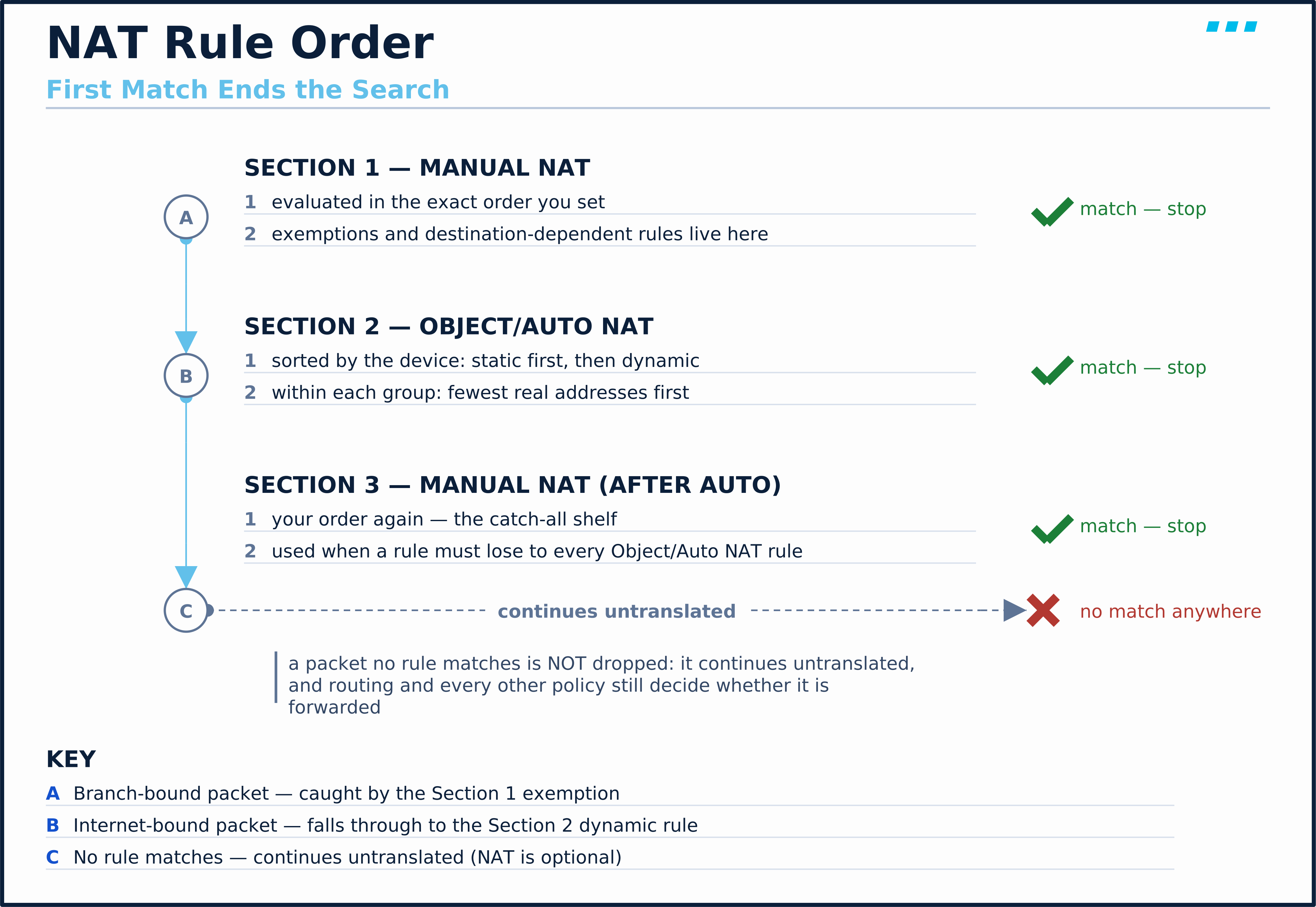
The NAT rule table is one list, read top to bottom — the first rule that matches ends the search. Three sections decide where a rule lands: your own manual order, then the device's own object/auto rules, then your manual order again.
The NAT rule table is one list, read top to bottom, and the first rule that matches ends the search — the same first-match logic as an access control list. No best-match scoring, no second opinion. That list is divided into three sections, and a rule’s section is decided by how you created it, nothing else.
| Section | Holds | Order inside the section |
|---|---|---|
| Section 1 | Manual rules, placed before auto | Exactly the order you set |
| Section 2 | Object/auto rules | Sorted by the device, not by you |
| Section 3 | Manual rules, flagged after-auto | Exactly the order you set |
The platform-specific terms differ — the ASA CLI calls Section 2’s rules object NAT; Secure Firewall Management Center calls the identical mechanism Auto NAT — but the three-section, first-match structure underneath is the same device behavior either way.
Two facts about these sections are worth stating plainly, because free write-ups get both wrong:
- Section numbers are table position only. They say nothing about when a packet meets your access policy — NAT ordering and access control are separate machines. “Before” and “after” refer only to the object/auto rules in Section 2.
- Section 2 sorts itself. The device places static rules ahead of dynamic ones, and within each group orders by fewest real addresses first. A rule that needs guaranteed placement belongs in Section 1 or Section 3 instead.
A rule that doesn’t match blocks nothing — it hands the packet to the next candidate, and a packet matching nothing in any section is not dropped: it continues untranslated, and routing and every other security policy still decide whether it is forwarded.